Wichtig: Für Boards ohne das “CIRCUITPY” flash drive muss der THONNY-Editor zum Up-/Download von Dateien zum Board verwendet werden!
cheap-iot-devices
Saturday 16 May 2026
51 versions
Was taugen billige Micro-Controller? 
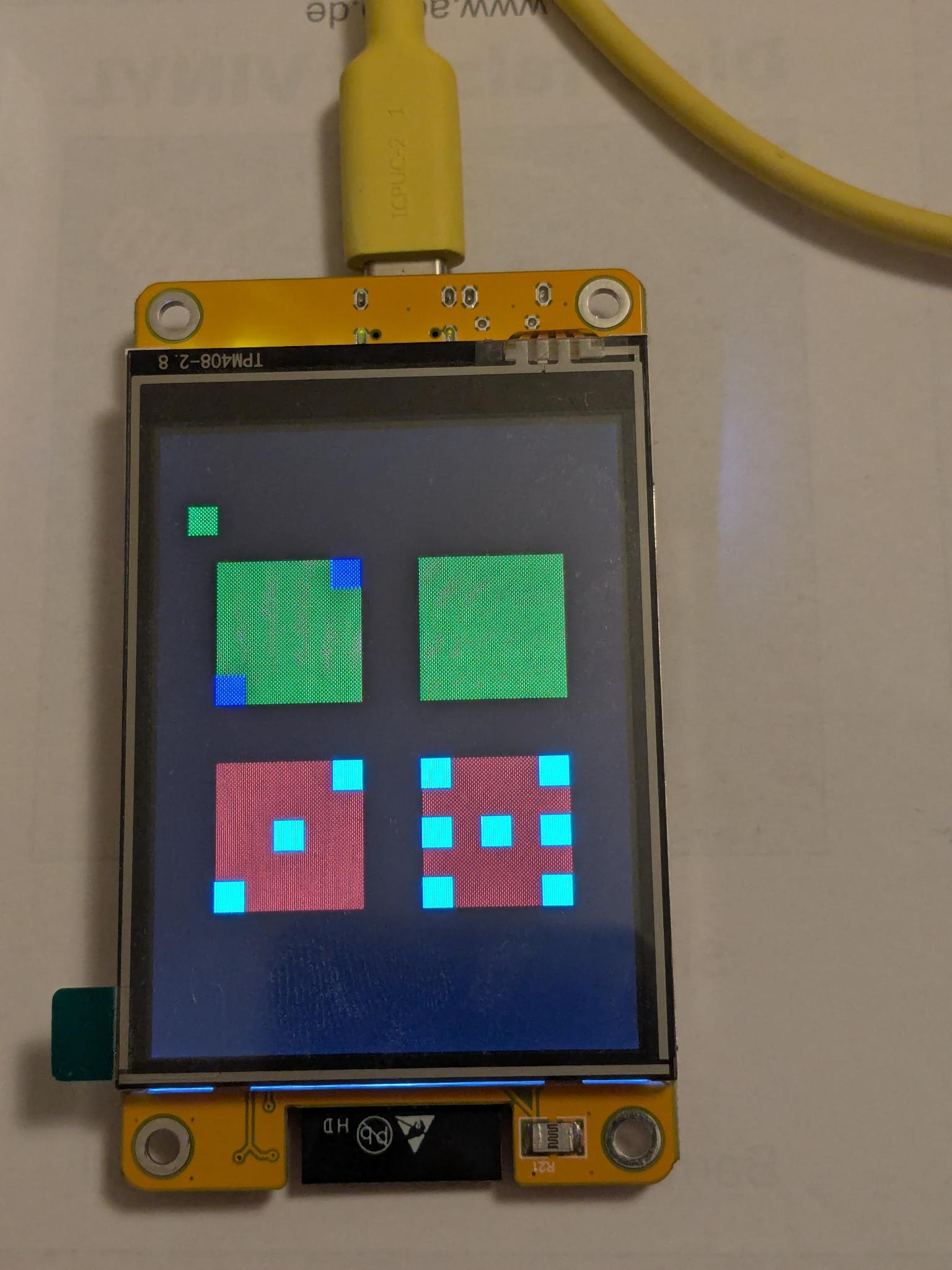
‘Cheap-Yellow-Display’ 
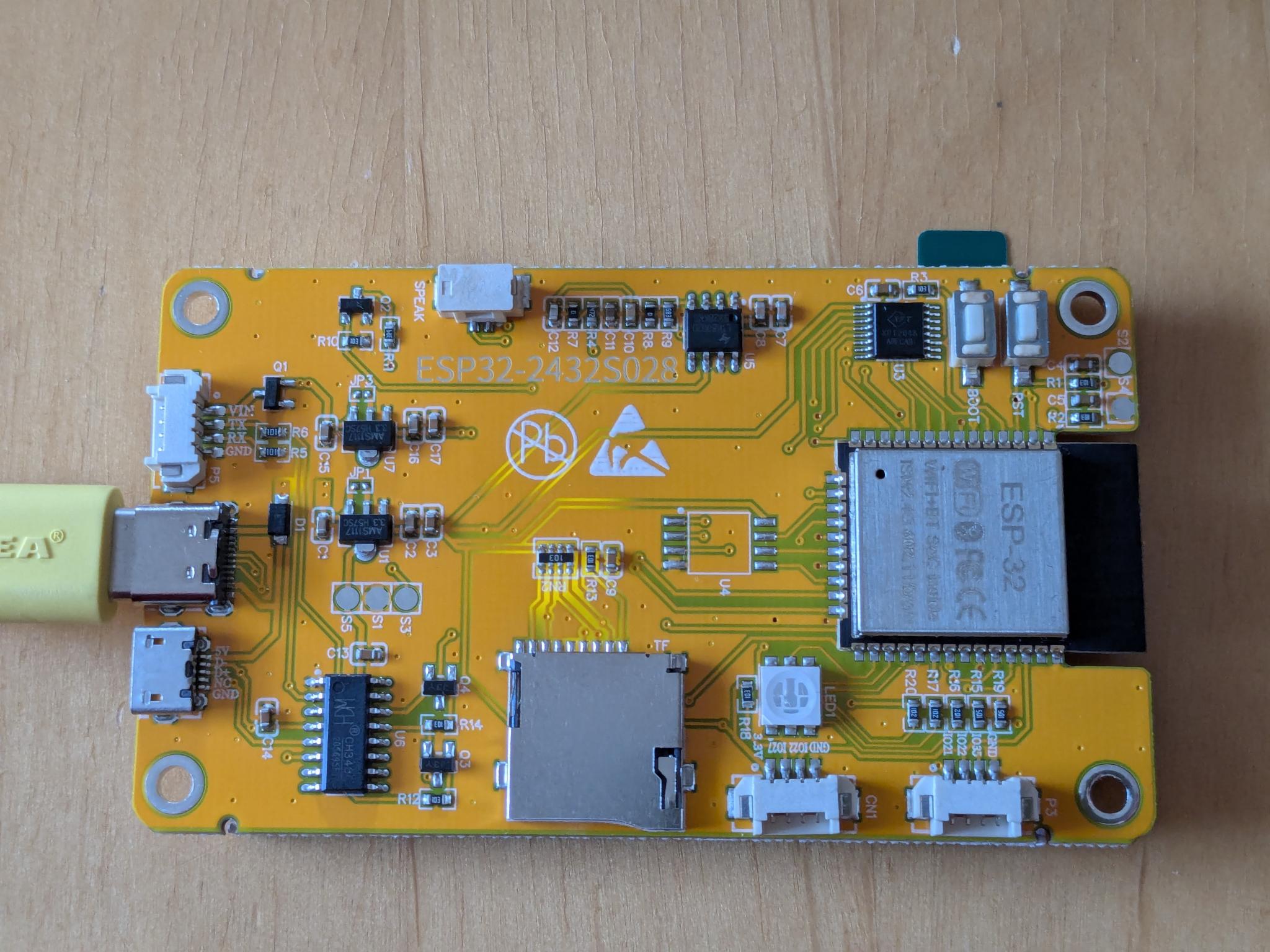
Sunton ESP32-2432S028 
- verschiedene Hersteller
- Amazon: 15 - 20 €
- ESP32 (mit 2.4GHz Wifi und Bluetooth)
- 32-Bit Tensilica dual core cpu
- Memory: 4MB flash
- 2,8"-LCD mit 240x320 Pixel
- Driver: ILI9341 (via SPI)
- Touch: XPT2046 (via SPI)
- andere Schnittstellen
- SD card (via SPI)
- Speaker port
- UART, I2C
- 1x RGB LED
- je nach Modell:
- USB-C oder/und Micro-USB port
- CircuitPython: nur 9.2.9 oder 10.0.3 (crash loop mit 10.1.4 !!)
- Installation
- leider kein
CIRCUITPYdrive
Anwendungen 
- Multi-purpose IOT
- Applikationen mit
displayioGrafik und LCD- z.B. Dubbeglas-Uhr, Wort-Uhr, Domino-Uhr, Turtle-Grafik
- Crypto-Miner
‘Blinky’ 
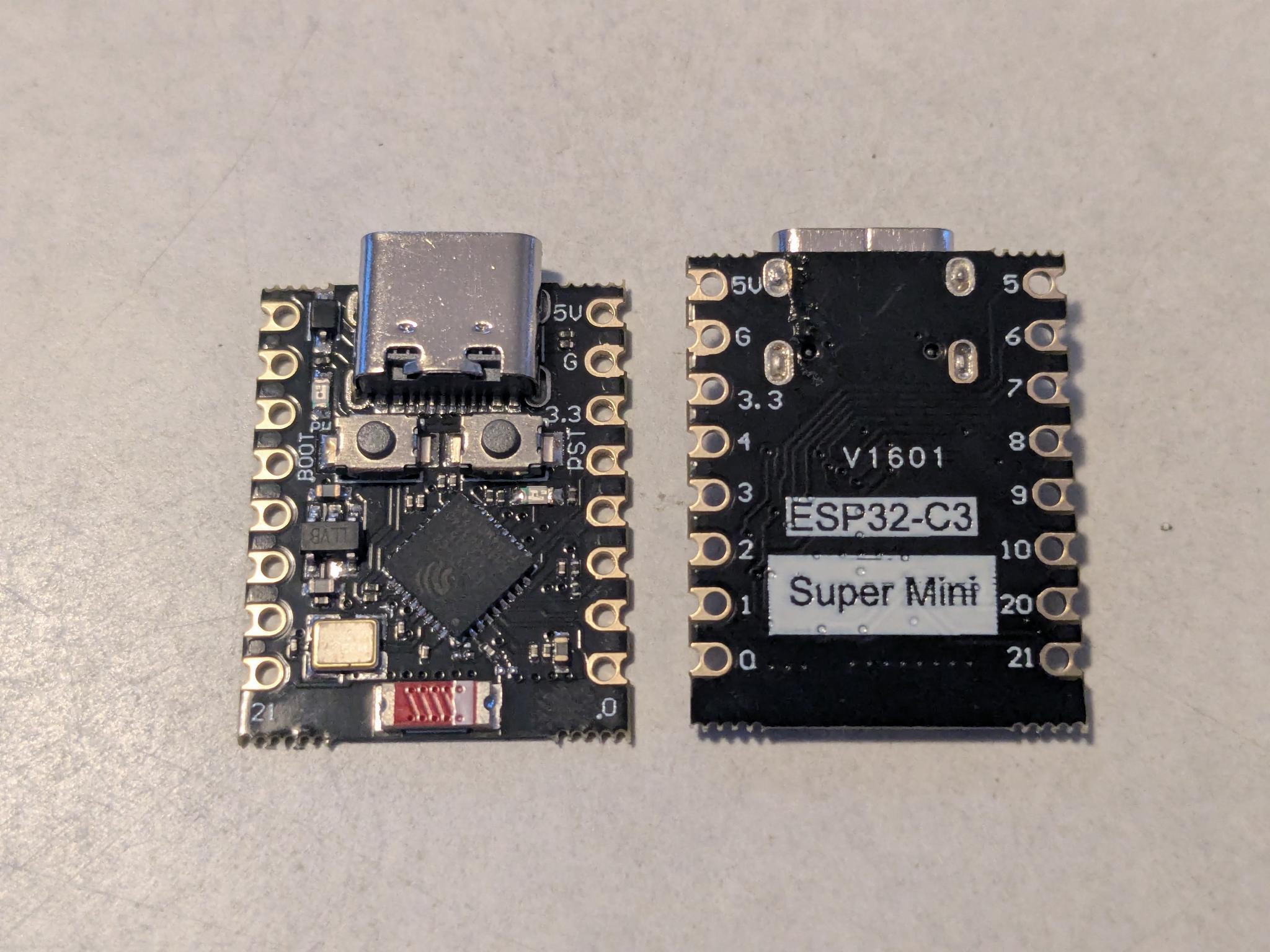
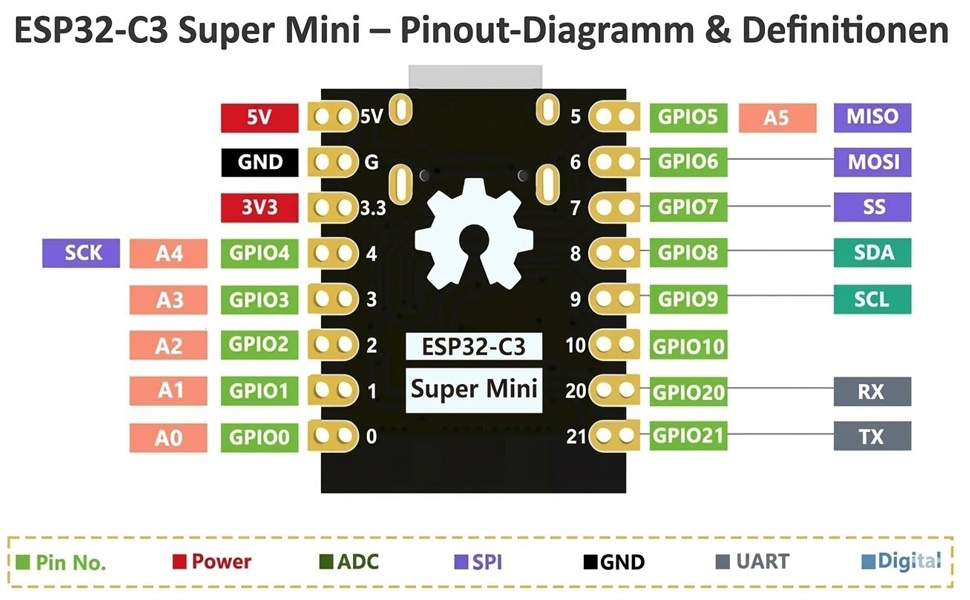
Maker Go ESP32C3 Super Mini 
- verschiedene Hersteller
- Amazon: 3,50 - 4,00 €
- ESP32-C3 (mit 2.4GHz Wifi und BLE 5)
- 32-bit RISC-V single core cpu (ULP)
- Memory: 4MB flash
- sehr kleine Platine
- USB-C port
- 2x 8 IO-Pins
- multiple IO protocols
- I2C, SPI, UART, …
- 1x LED
- CircuitPython: 10.1.4
- Installation
- leider kein
CIRCUITPYdrive
- Addon:
- NeoPixel-Streifen mit 8x WS2812
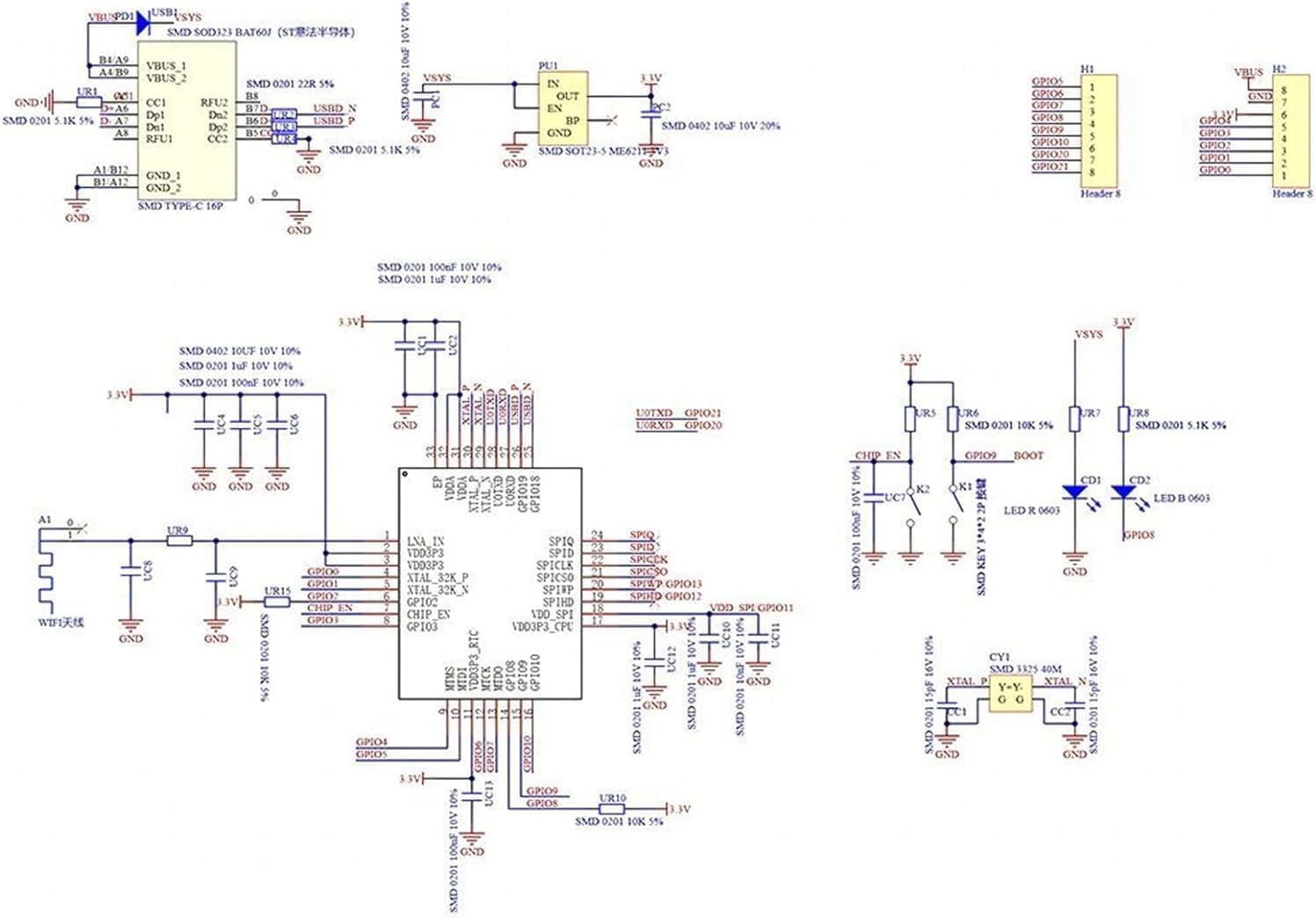
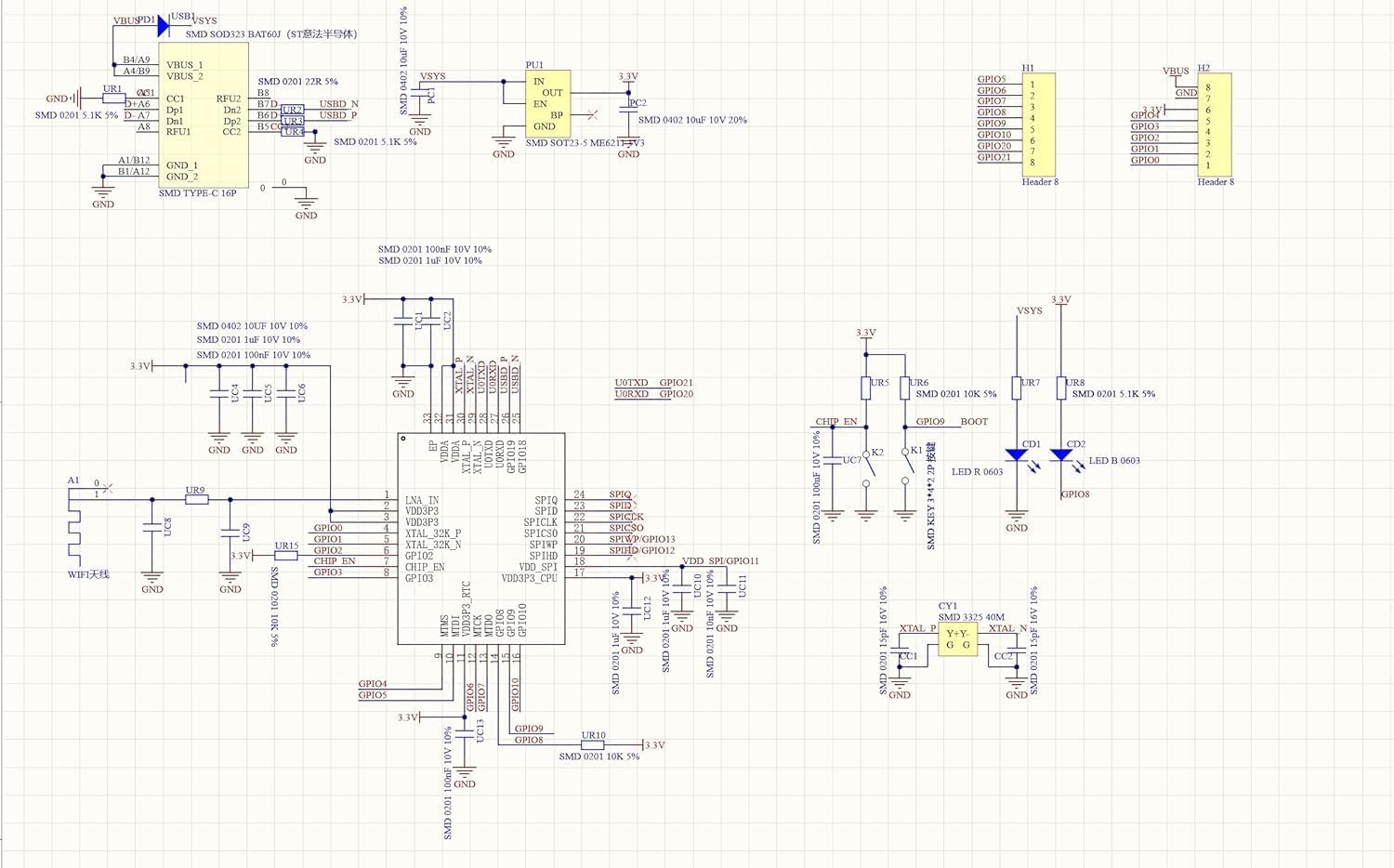
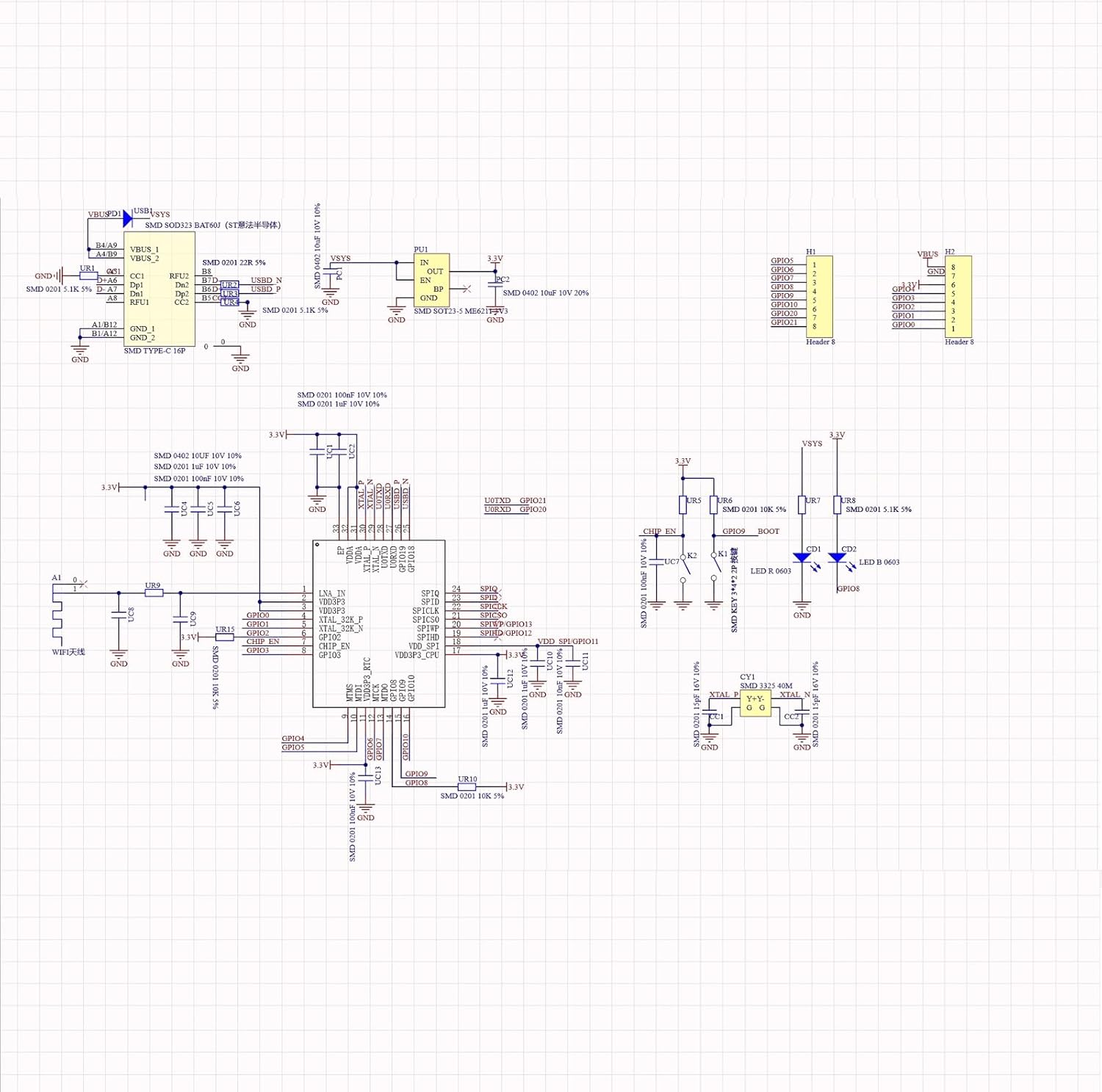
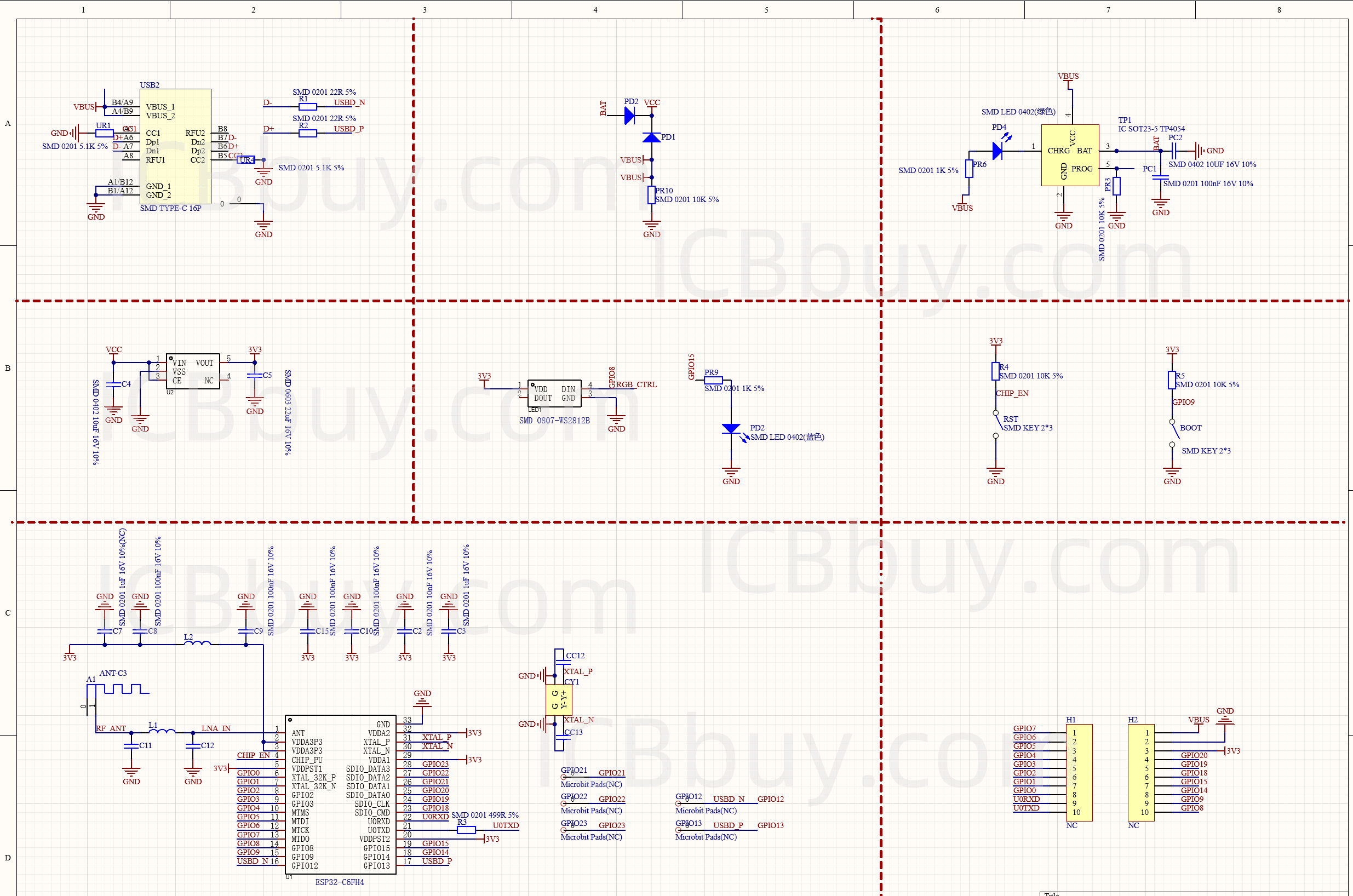
Schaltpläne 
Anwendungen 
- Controller für 16x16 NeoPixel-Matrix, z.B Domino-Uhr
- sehr billiger
IOTBlinker (5€) - Ersatz für ESP8266
- Ultra-Low-Power Coprozessor
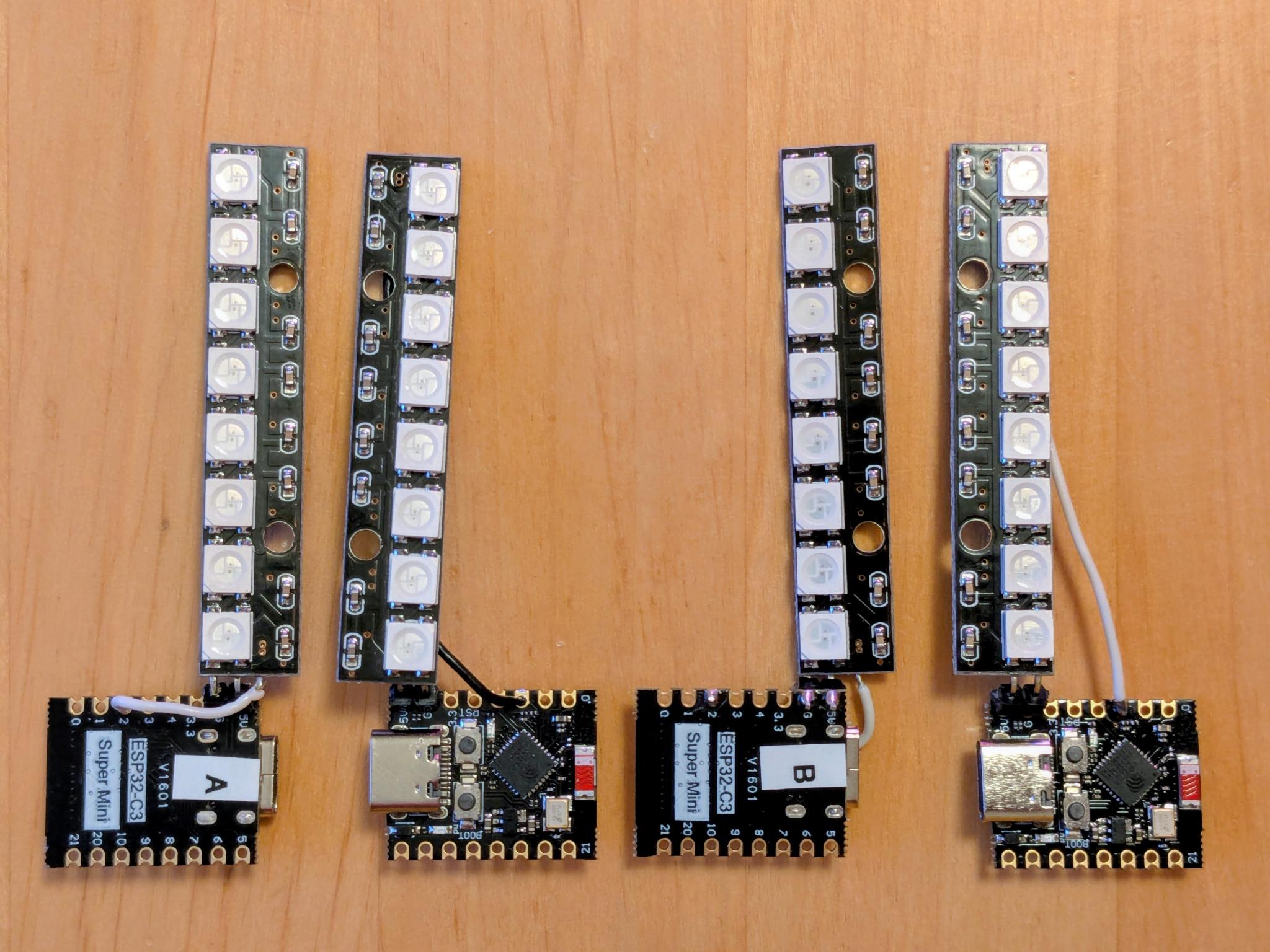
Multi purpose ‘IOT’ 
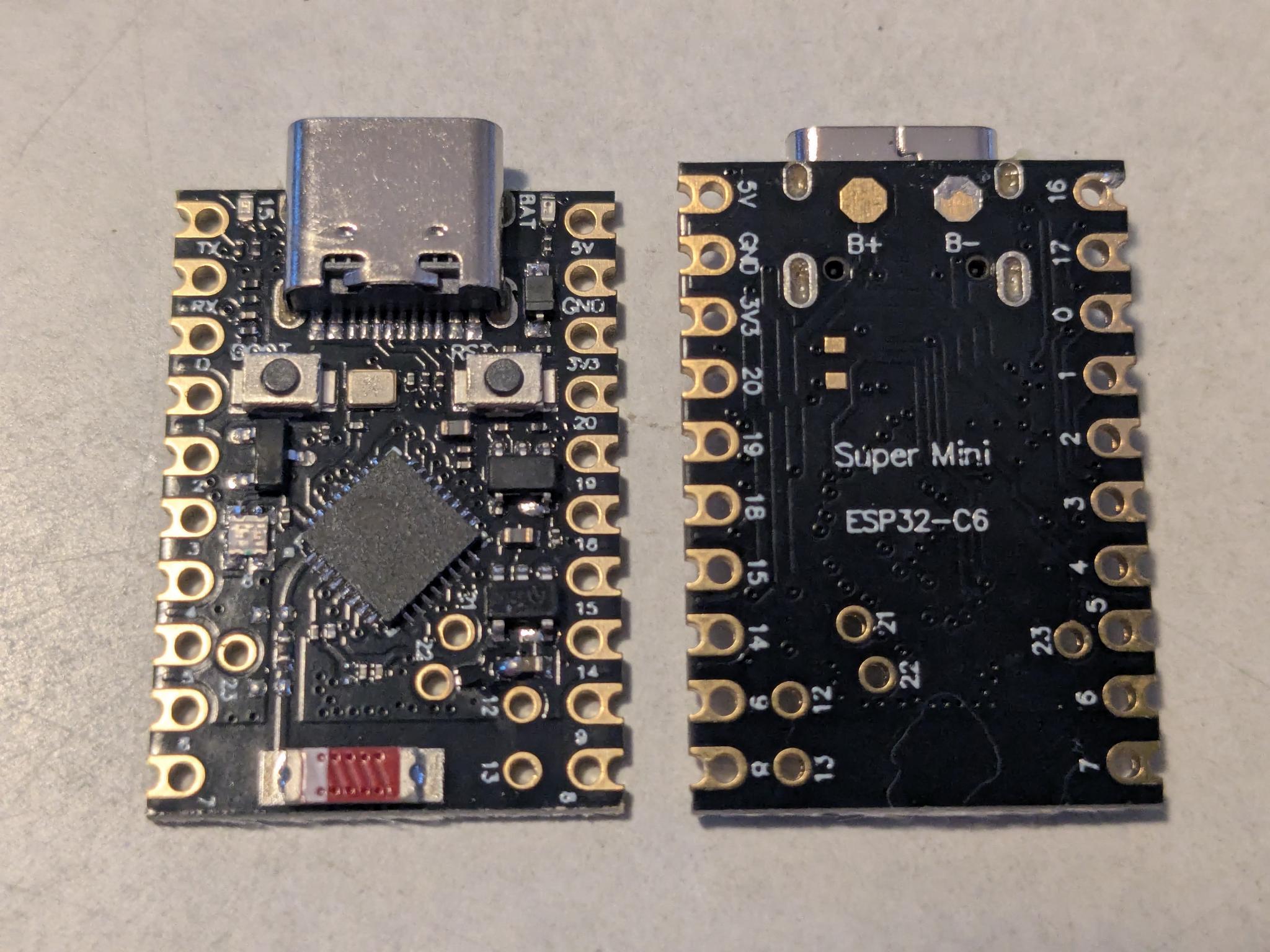
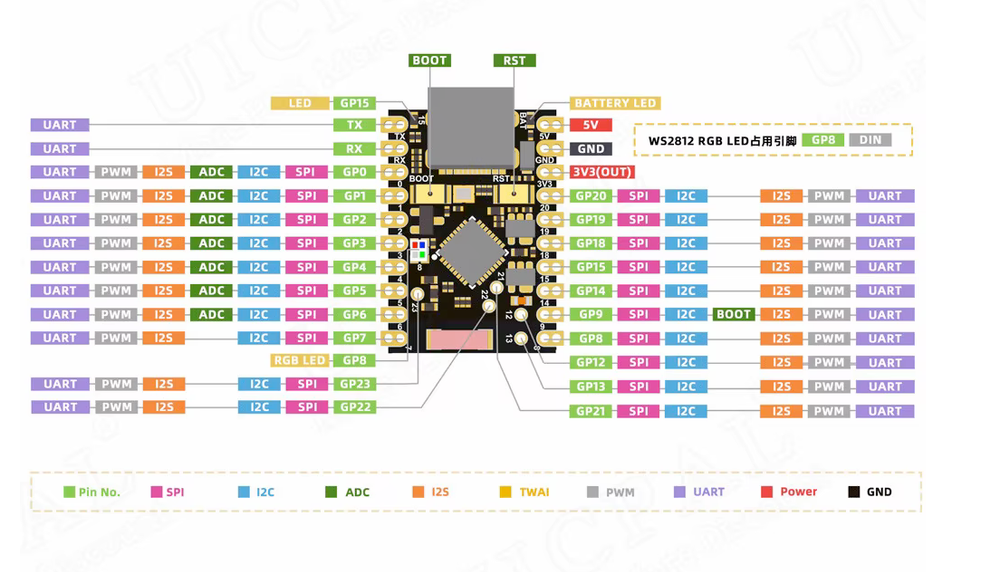
Maker Go ESP32C6 Super Mini 
- verschiedene Hersteller
- Amazon: 5 - 6 €
- ESP32-C6 (mit 2.4GHz Wifi 6 und BLE 5)
- 32-bit RISC-V dual core cpu (normal & ULP)
- Memory: 4MB flash
- sehr kleine Platine
- USB-C port
- 2x 10 IO-Pins
- multiple IO protocols
- I2C, SPI, UART, …
- 1x NeoPixel
- Zigbee, Thread
- CircuitPython: 10.1.4
- Installation
- leider kein
CIRCUITPYdrive
Schaltpläne 
Anwendungen 
- Heimautomation (wg. der Protokoll-Vielfalt)
- Low-Power Coprozessor
- Network-Offloader für diverse Controller-Boards
- Waveshare ESP32-P4 boards
- Adafruit Airlift WiFi Co-Processor
‘Espressif ESP32-S3’ 
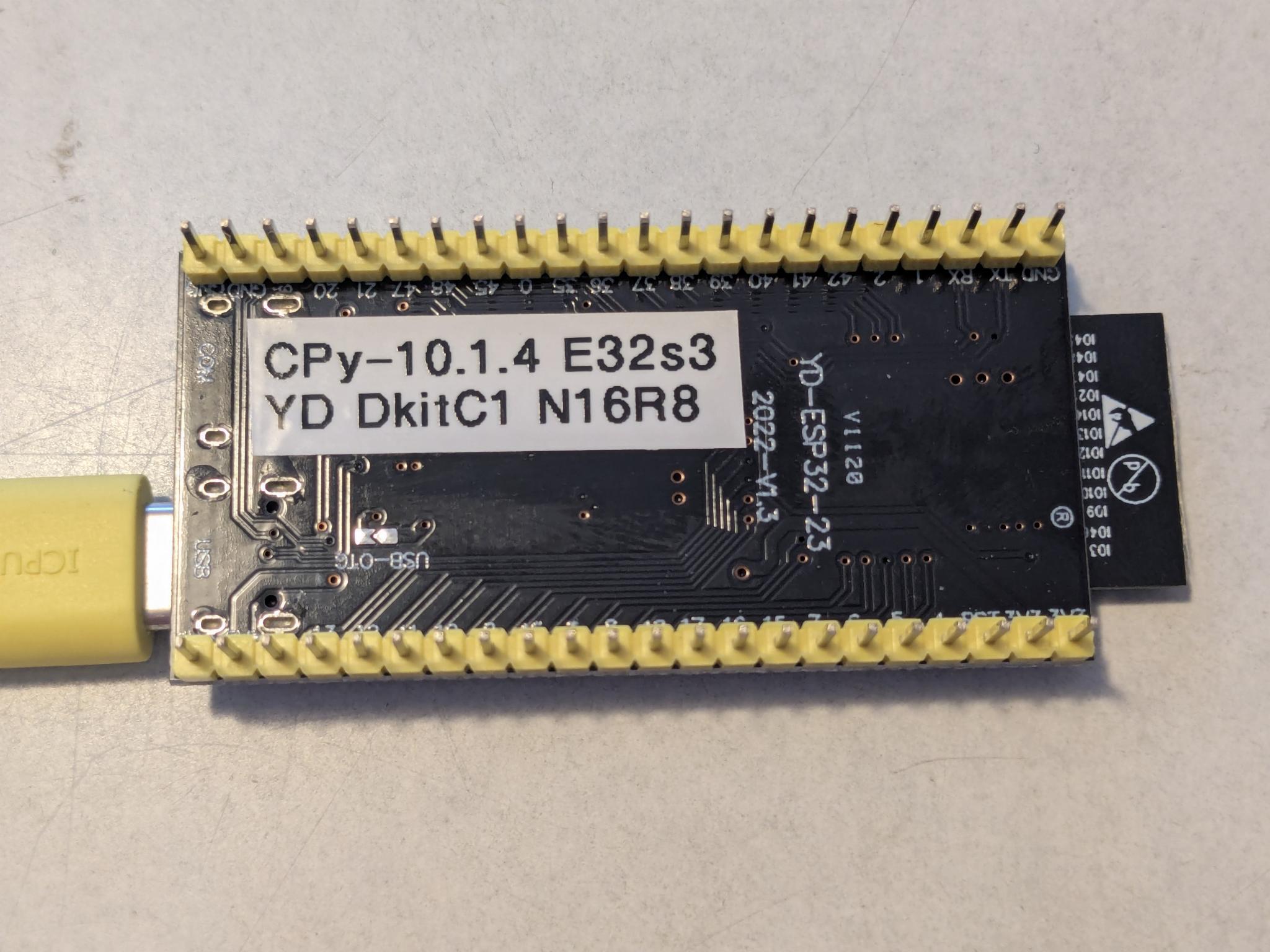
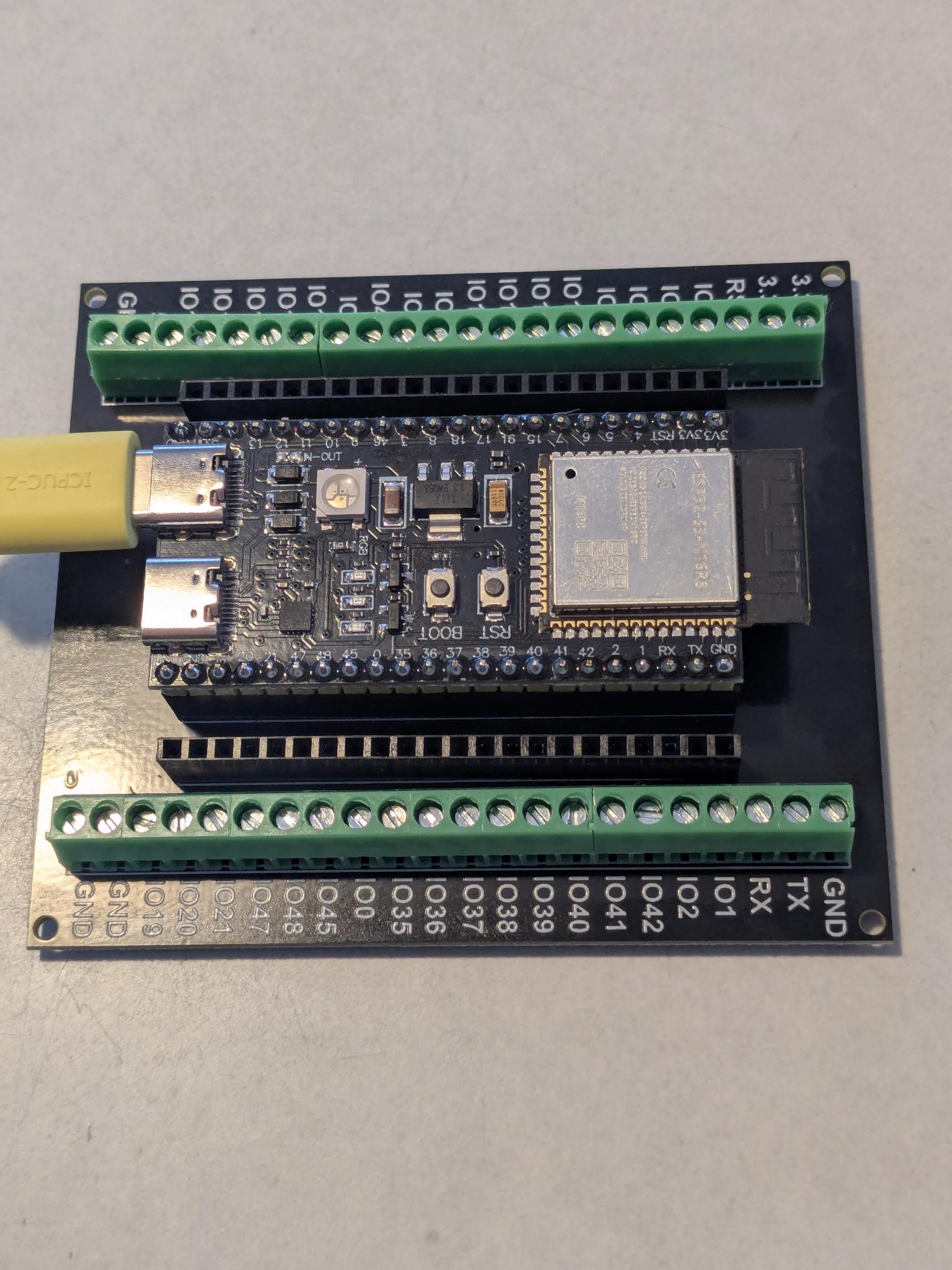
Espressif ESP32-S3-DevKitC-1 
- verschiedene Hersteller
- Amazon: 7 - 10 €
- ESP32-S3 (mit 2.4GHz Wifi und Bluetooth)
- 32-Bit Tensilica dual core cpu
- Memory: 16MB Flash, 8MB SPIRAM
- andere Schnittstellen (44 pins)
- SPI, I2C, UART
- analog / digital IO pins
- 1x RGB LED
- 2x USB-C ports: COM + USB
- CircuitPython: 10.1.4 (oder 10.0.3)
Anwendungen 
- Multi-purpose IOT
- Applikationen mit
displayiound RGB-Matrix- z.B. Dubbeglas-Uhr, Wort-Uhr, Domino-Uhr, Turtle-Grafik
- Alternative zu den Raspberry-Pi-Micro-Controllern: Pico-W oder Pico2-W
- ESP32-S3 werden auch in diversen LoRa-Controllern verwendet
Beispiele in CircuitPython 10 
- Hilfestellung: Python Cheat-Sheet
‘Blinky’ für ESP32-C3 
 1# SPDX-FileCopyrightText: 2026 Pagong
 2# SPDX-License-Identifier: MIT
 3
 4"""
 5Blink example for ESP32-C3 "Super Mini" board with 8 NeoPixel LEDs at IO2.
 6(running CircuitPython 10.1.4 firmware)
 7Requires some libraries from the Adafruit CircuitPython Library Bundle.
 8"""
 9
10import time
11import board
12import neopixel
13from rainbowio import colorwheel
14
15######
16
17NUM_PIXELS = 8     # Update this to match the number of LEDs.
18SPEED = 0.2        # Increase to slow down the effect. Decrease to speed it up.
19BRIGHTNESS = 0.2   # A number between 0.0 and 1.0, where 0.0 is off, and 1.0 is max.
20AUTO_WR = False
21
22PIN = board.IO2    # This is my neopixel pin on the ESP32-C3 SuperMini
23pixels = neopixel.NeoPixel(PIN, NUM_PIXELS, brightness=BRIGHTNESS, auto_write=AUTO_WR)
24
25######
26
27while True:
28    for i in range(256//8):
29        for j in range(8):
30            pixels[j] = colorwheel(8*i + j)
31        pixels.show()
32        time.sleep(SLEEP)
‘Taster’ für ESP32-C3 
 1# SPDX-FileCopyrightText: 2026 Pagong
 2# SPDX-License-Identifier: MIT
 3
 4"""
 5Here's an example which toggles the on-board LED.
 6
 7This is for the ESP32-C3 board (with CircuitPython 10.1.4 firmware)
 8"""
 9
10import time
11import board
12
13from digitalio import DigitalInOut, Direction, Pull
14
15usrbtn = DigitalInOut(board.BUTTON)
16usrbtn.direction = Direction.INPUT
17usrbtn.pull = Pull.UP
18
19led = DigitalInOut(board.LED)
20led.direction = Direction.OUTPUT
21led.value = True
22
23state = 1
24while True:
25    button = usrbtn.value
26    if button:
27        state = state ^ 1
28        if not state:
29            led.value = False
30            print("LED is on")
31        else:
32            led.value = True
33            print("LED is off")
34
35    # debounce
36    while usrbtn.value:
37        time.sleep(0.1)
38    time.sleep(0.1)
‘Taster’ für ESP32-C6 
 1# SPDX-FileCopyrightText: 2026 Pagong
 2# SPDX-License-Identifier: MIT
 3
 4"""
 5Button and blink example for my ESP32-C6 "Super Mini" board (running CircuitPython 10.1.4 firmware)
 6Uses Debouncer library to debounce the BOOT button and the onboard NeoPixel to show the state.
 7
 8Requires some libraries from the Adafruit CircuitPython Library Bundle:
 9        adafruit_ticks, adafruit_debouncer and neopixel
10"""
11
12import time
13import board
14import neopixel
15
16pixels = neopixel.NeoPixel(board.NEOPIXEL, 1)
17
18from digitalio import DigitalInOut, Direction, Pull
19from adafruit_debouncer import Debouncer
20
21usrbtn = DigitalInOut(board.BOOT)
22usrbtn.direction = Direction.INPUT
23usrbtn.pull = Pull.UP
24switch = Debouncer(usrbtn)
25
26######
27
28def blink():
29    pixels.fill((255, 0, 0))    # red
30    time.sleep(0.9)
31    pixels.fill((0, 0, 0))      # off
32    time.sleep(0.5)
33    pixels.fill((0, 255, 0))    # green
34    time.sleep(0.5)
35    pixels.fill((0, 0, 0))      # off
36    time.sleep(0.5)
37    pixels.fill((0, 0, 255))    # blue
38    time.sleep(0.2)
39    pixels.fill((0, 0, 0))      # off
40    time.sleep(0.5)
41
42######
43
44state = 1
45while True:
46    switch.update()
47    if switch.fell:
48        state = state ^ 1
49    if state:
50        blink()
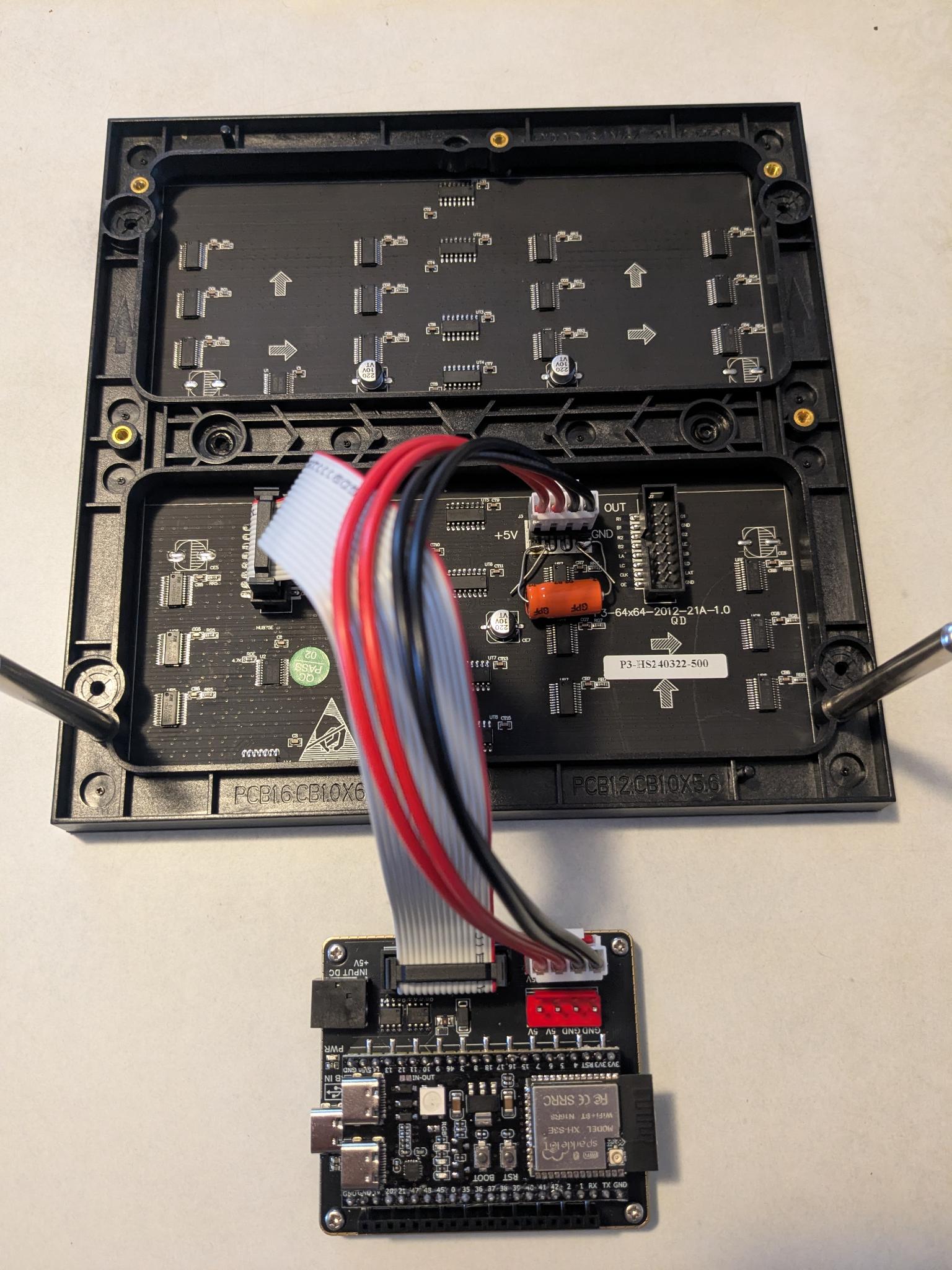
VCC-GND ‘YD-ESP32-S3’ als ESP32-S3-DevKitC-1 auf SeenGreat RGB Matrix Adapter 
Ansteuerung des SeenGreat RGB Matrix Adapters in CPy10.
(enthält auch Code für das ähnliche Board Matrix-Portal-S3 von Adafruit)
# Select "Adafruit" or "SeenGreat" for RGB Matrix Adapter
# - Code for Adafruit Matrix Portal S3
# - Code for SeenGreat RGB Matrix Adapter for ESP32-S3-DevKitC-1-N16 (without PSRAM !!)
...

import displayio
import framebufferio
import rgbmatrix

# define some global constants
from micropython import const
Scale = const(1)
H = const(64)
W = const(64)
L = const(64)

######

# Release any resources currently in use for the displays
displayio.release_displays()

RGB_TYPE = "SeenGreat"
#RGB_TYPE = "Adafruit"

def seengreat_rgb():
    # Code for ESP32-S3-DevKitC-1 on SeenGreat RGB Matrix Adapter Board
    return rgbmatrix.RGBMatrix(
        width=W, height=H, bit_depth=3,
        rgb_pins=[
            board.IO37,   # R1
            board.IO6,    # G1
            board.IO36,   # B1
            board.IO35,   # R2
            board.IO5,    # G2
            board.IO0,    # B2
        ],
        addr_pins=[
            board.IO45,  # Addr-A
            board.IO1,   # Addr-B
            board.IO48,  # Addr-C
            board.IO2,   # Addr-D
            board.IO4,   # Addr-E
        ],
        clock_pin=board.IO47,
        latch_pin=board.IO38,
        output_enable_pin=board.IO21
    )

def adafruit_rgb():
    # Code for ESP32-S3 on Adafruit Matrix Portal S3
    return rgbmatrix.RGBMatrix(
        width=W, height=H, bit_depth=3,
        rgb_pins=[
            board.MTX_R1,
            board.MTX_G1,
            board.MTX_B1,
            board.MTX_R2,
            board.MTX_G2,
            board.MTX_B2
        ],
        addr_pins=[
            board.MTX_ADDRA,
            board.MTX_ADDRB,
            board.MTX_ADDRC,
            board.MTX_ADDRD,
            board.MTX_ADDRE
        ],
        clock_pin=board.MTX_CLK,
        latch_pin=board.MTX_LAT,
        output_enable_pin=board.MTX_OE
    )

if RGB_TYPE == "SeenGreat":
    MATRIX = seengreat_rgb()
elif RGB_TYPE == "Adafruit":
    MATRIX = adafruit_rgb()
else:
    raise NameError(RGB_TYPE)

DISPLAY = framebufferio.FramebufferDisplay(MATRIX, auto_refresh=False)

######

...
Tipp 
- Deshalb Verzicht auf die Nutzung des PSRAM und Installation von CPy10
für das Board von Espressif und nicht für das VCC-GND Board.